The best Meta Ads MCP servers, compared
There are now a dozen ways to point an AI assistant at your Meta ad account through an MCP server. They split into three camps: Meta's own official MCP, managed connectors, and open-source servers you host yourself. Here's each one that's worth knowing, what it actually covers, and which to pick.
The best Meta Ads MCP depends on one thing: how many accounts you run. For a single account you manage by hand, Meta's own official MCP is the safe default, because it uses OAuth, creates everything paused, and is free during the beta. For an agency or anyone running several accounts, or Meta plus Google and LinkedIn from one place, a managed connector like Adside fits better, because one connection covers every account and every platform. If you'd rather self-host and own the code, Pipeboard is the most-used open-source option. The rest of this piece is why, and where each one stops being the right call.
The short version
- Three camps. Meta's official MCP (OAuth, Meta-only, free beta), managed connectors like Adside and Ryze (OAuth, multi-account, often multi-platform), and open-source servers like Pipeboard and GoMarble (you host and hold the token).
- Auth is the real fork in the road. OAuth means the provider holds the token. A self-hosted server means the token sits in your config, and that's the thing that leaks.
- Coverage decides it for agencies. Meta-only is fine for one brand. The moment you run several accounts, or Google and LinkedIn too, a single managed connection beats wiring up one server per account.
- Write-safety is not optional. The servers worth using create paused, confirm before spending, or stay read-only. The ones that fire writes from a raw token are how ad accounts get flagged.
- Our pick: Adside for agencies and multi-platform operators, Meta's official MCP for a single hand-managed account, Pipeboard if you want to self-host.
How to judge a Meta Ads MCP
Every one of these ends the same way, with an AI assistant able to call Meta's Marketing API on your behalf. What actually separates them is four questions, and they're the lens for the whole comparison:
- Who holds the token? OAuth connectors (Meta's own, Adside, Ryze) run the sign-in for you and keep the credential server-side. Self-hosted servers hand you a Meta access token that lives in an environment variable or a config file, which is more control and more responsibility.
- What does it cover? Meta only, or Meta plus Google and LinkedIn from one setup. And can it reach several ad accounts, or one per connection?
- How does it handle writes? Read-only, paused-by-default, confirm-before-spend, or nothing at all. This is the difference between a tool you can leave running and one you have to babysit.
- Who's it built for? A solo advertiser, an agency, or a developer who wants to read the source.
The options at a glance
| Server | Type | Auth | Covers | Writes | Best for |
|---|---|---|---|---|---|
| Adside | Managed | OAuth | Meta + Google + LinkedIn, many accounts | Held for approval, rate-paced | Agencies, multi-account, unattended agents |
| Meta official | First-party | OAuth | Meta, one account¹ | Creates paused | A single account by hand |
| Pipeboard | Open-source | OAuth or token | Meta (Google, TikTok, Snap, Reddit in the wider family)² | Paused by default, confirm on write | Developers who'll self-host |
| Ryze | Managed | OAuth | Meta + 5 more (Google, TikTok, GA4, Search Console, Shopify) | Writes need approval | Media buyers on one workspace |
| GoMarble | Open-source | Token | Meta only | Read-only | Analysts wanting reporting |
| Other OSS | Open-source | Token | Meta only | Varies | Developers |
Now the detail, starting with the one I'd reach for if you run more than a single account, and working down to the servers you host yourself.
Adside: the managed, multi-platform route
Adside is the connector we build, so treat this as the biased entry and read the others too. What it's for is specific: you connect Meta once through OAuth in the Adside app, add the Adside connector to your assistant the same way you'd add any remote server, and from then on one connection reaches every account you manage, across Meta, Google and LinkedIn. There's no token in a file, and nothing to wire up per account.
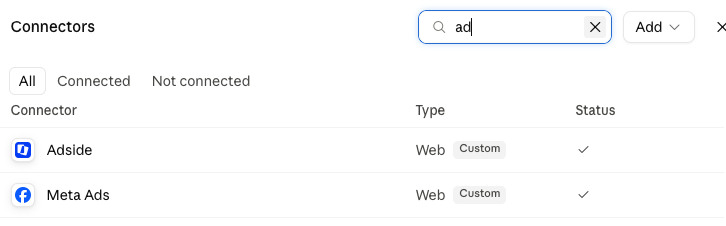
The reason to use it over the raw official MCP is coverage and safety on your behalf. Requests route through Adside's API layer, which paces calls to stay inside Meta's rate limits and backs off when they climb, instead of an agent hitting Meta directly and hammering it into an abuse flag.³ Writes stay read-first: changes that spend money are surfaced for you to approve before they go live. It works with Claude Code, OpenClaw, Gemini, ChatGPT or any MCP-compatible assistant, and MCP access is included in the standard plan rather than sold per account.
If you run one Meta account and manage it by hand, you don't need us. The case for a managed connector shows up the moment it's several accounts, several platforms, or an agent you want running unattended.
If you want the step-by-step, we wrote it up separately: how to connect a Meta Ads MCP to Claude.
Meta's official MCP: the right default for one account
As of mid-2026 Meta ships its own Ads MCP server, and that changed the default. It's hosted at mcp.facebook.com/ads, authenticates with a single Meta Business OAuth prompt so you never touch a token, and anything it creates lands paused.¹ For a single account you're managing yourself, this is the one I'd start with. It's first-party, it's free during the beta, and there's nothing to host.
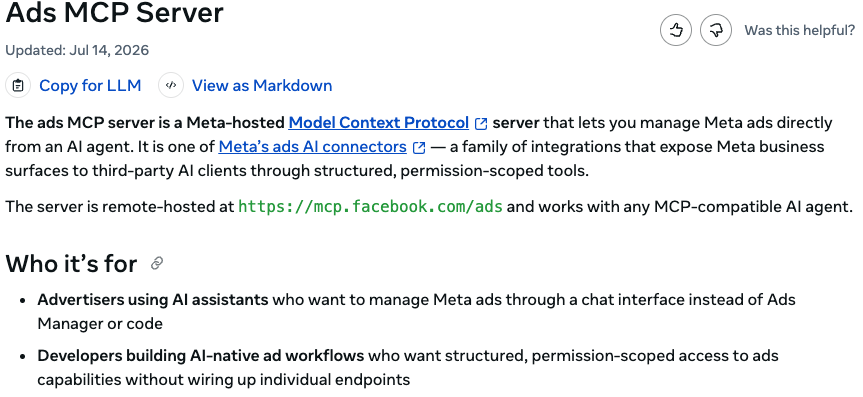
mcp.facebook.com/ads and works with any MCP-compatible assistant. developers.facebook.comIts one real limit is in the name: it's Meta-only, and it's built around a single account. That's not a criticism, it's a scope choice. If your world is one Meta account, it's a strength. If you're an agency with twenty clients, or you run Google and LinkedIn alongside Meta, you'll feel the ceiling fast, and that's the gap the managed connectors fill.
Pipeboard: the open-source one people actually use
If you want to self-host, Pipeboard's meta-ads-mcp is the most-used community server by a wide margin: it's the highest-starred open-source Meta Ads MCP on GitHub, at over 1,200 stars, and it's actively maintained.² It runs either as a hosted remote server or locally from source, authenticates with OAuth or a Pipeboard token, and has genuinely good safety defaults: new campaigns start paused, and it asks for confirmation on every write.
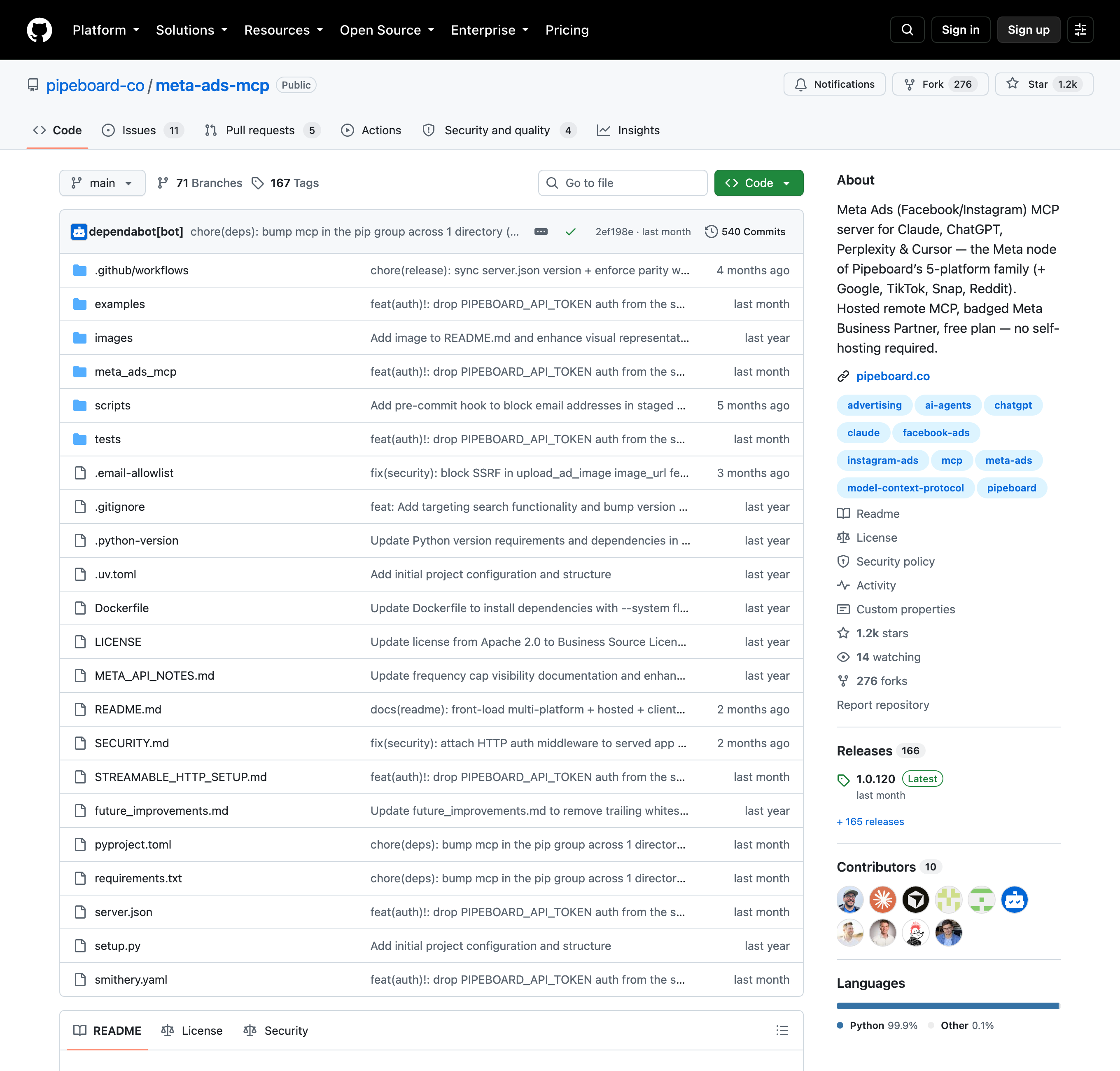
Two things to know before you commit. First, the license is Business Source License 1.1, not a permissive open-source license, so "open-source" here means source-available with strings until it converts years out. Second, and this is the one that matters: if you self-host, you own the token. A self-hosted Meta Ads MCP shipped a critical security advisory in 2026 (CVSS 9.1) where, in one HTTP mode, the operator's access token could leak in an error response.⁴ It was patched quickly, and the fix is simply to run a current version, but it's the clearest illustration of the trade: self-hosting is more control and more of the security burden on you.
Ryze, GoMarble and the rest
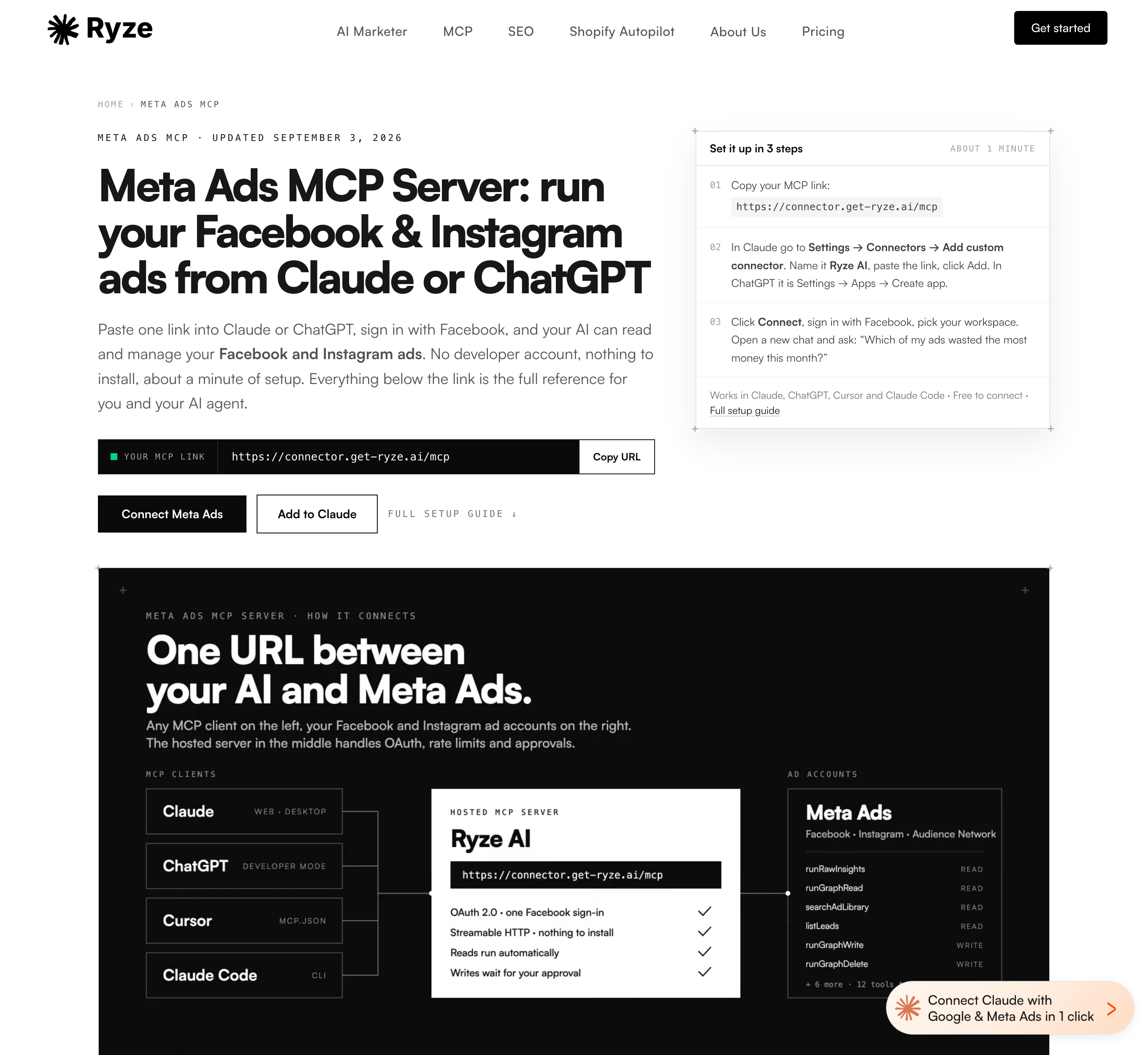
Ryze is another hosted, OAuth-based connector, in the same shape as the managed route: paste one URL, sign in with Facebook, and its Meta toolset (a dozen tools, mostly reads plus a few writes that wait for your approval) is available in Claude, ChatGPT, Cursor or Claude Code. It spans six platforms on one endpoint (Meta, Google, TikTok, GA4, Search Console, Shopify) and sells an "Ads Autopilot" tier at a flat monthly price. The catch for agencies is that a connection maps to a single workspace, so multi-client work means reconnecting per workspace.
GoMarble's Facebook Ads MCP is the pick if all you want is read-only reporting: it's a local Python server, MIT-licensed, that exposes Meta insights for analysis and can't create or change anything. Safe by construction, and a fine choice for an analyst who never wants the agent touching a live campaign.
Beyond those, there's a long tail of smaller open-source Meta servers (mikusnuz, serkanhaslak and hashcott among them) and multi-platform commercial connectors like AdKit and Adspirer that include Meta as one of several networks. They're worth a look if a specific feature matches your workflow, but for most people the choice sits among the five above.
The safety part everyone skips
Whichever server you pick, connecting it is the easy part. The part that trips people up is what they let the agent do next. The Marketing API is the sanctioned way to manage ads, so an MCP built on it won't get you banned on its own. Accounts get flagged for the pattern of calls an unsupervised agent makes: bursts of requests, high error rates, budget changes fired faster than a human would, and unreviewed writes from a raw token.³ Two habits keep you clear of it, and they map directly onto the comparison above:
- Prefer OAuth, and stay read-only until you trust it. A read costs Meta less than a write and can't spend a dollar, so a read-only agent is both safer and lighter. Let it pull data and draft changes before it ever makes one. This is why GoMarble's read-only design and everyone's paused-by-default behavior matter.
- Put a human on every write. The agent proposes the budget shift or the pause; a person approves anything that actually spends money. The managed connectors do this for you; if you wire up a self-hosted server, you build the habit yourself.
There's a longer piece worth reading before you give any connector write access: can a Meta Ads MCP get your account banned? It walks through exactly what Meta's abuse systems watch for. And if you just want the fastest path to a working setup, start with connecting a Meta Ads MCP to Claude.
Frequently asked questions
What is the best Meta Ads MCP?
It depends on how many accounts you run. For a single Meta account you manage by hand, Meta's own official MCP is the safe default: it uses OAuth, creates everything paused, and is free during the beta. For an agency or anyone running several accounts, or Meta plus Google and LinkedIn from one place, a managed connector like Adside fits better because one OAuth connection covers every account and every platform. If you would rather self-host and own the code, Pipeboard is the most-used open-source option.
Does Meta have an official Ads MCP?
Yes. Meta shipped its own Ads MCP server in 2026, hosted at mcp.facebook.com/ads. You authorize it with a single Meta Business OAuth prompt, so you never handle an access token, and anything it creates lands paused. It is Meta-only and built for one account managed by hand, which makes it a solid default for solo advertisers and a weaker fit for agencies running many accounts across several platforms.
Is it safe to connect a Meta Ads MCP?
Connecting one is safe on its own, because the Marketing API is the sanctioned way to manage ads. The risk is in what you let the agent do next and how it authenticates. Prefer OAuth over pasting a long-lived token into a config file, since a token in a file is the thing that leaks: a self-hosted Meta Ads MCP shipped a critical advisory in 2026 that exposed the operator's token. Keep the agent read-only until you trust it, and put a human on every write that spends money.
Can a Meta Ads MCP manage several ad accounts?
Meta's official MCP and most open-source servers are built around one account at a time: a self-hosted server connects one account per configured token. If you run several accounts, a managed connector is simpler because one connection spans every account you manage and lets you point the assistant at any of them. This is the normal case for agencies and for anyone running more than one brand, and it is where Adside is built to fit.
Which AI assistants does a Meta Ads MCP work with?
Any MCP-compatible assistant. Remote servers like Meta's official MCP, Adside and Ryze are added as custom connectors in Claude Desktop and claude.ai, with a single command in Claude Code, and they also work with Cursor, Windsurf, Gemini and ChatGPT. A local, self-hosted server such as an open-source one is added as a command entry in your client's config file instead. The Meta account you authorize is the same either way; only the client differs.
Sources
- Official Meta Ads MCP server, OAuth auth, hosted at mcp.facebook.com/ads — Ads MCP Server, Meta for Developers (accessed Sept 2026)
- Most-starred open-source Meta Ads MCP, 1.2k+ stars, Business Source License, actively maintained — pipeboard-co/meta-ads-mcp, GitHub (accessed Sept 2026)
- What triggers a Meta ad account disable, and the safe setup — Can a Meta Ads MCP get your account banned?, Adside
- Operator token leak in a self-hosted Meta Ads MCP, CVSS 9.1, patched — CVE-2026-48039, GitHub Advisory Database (published May 2026)